
Priyanka PahariJanuary 4, 2024
How to Create Your Veel Content Creator Profile
How to Create Your Veel Content Creator Profile
As a UGC video creator, beginning your Veel journey is more than just making a profile and posting videos; it's an adventure of expressing your views, being creative, and collaborating with brands and enterprises. It's the first step to countless collaboration possibilities.
Before diving into the process of creating your Veel Content Creator Profile, it's essential to understand that the Veel App caters to both General Content Creators-those sharing UGC videos for general interaction with fellow creators, and Professional Content Creators - who share videos with the intent of collaborating with Brands and Enterprise Users to monetize their creativity skills.
Let’s begin!
Step 1: Begin Your Veel Journey – Download, Sign Up, and Join the Community!
Begin Your Veel Journey – Download, Sign Up, and Join the Community!
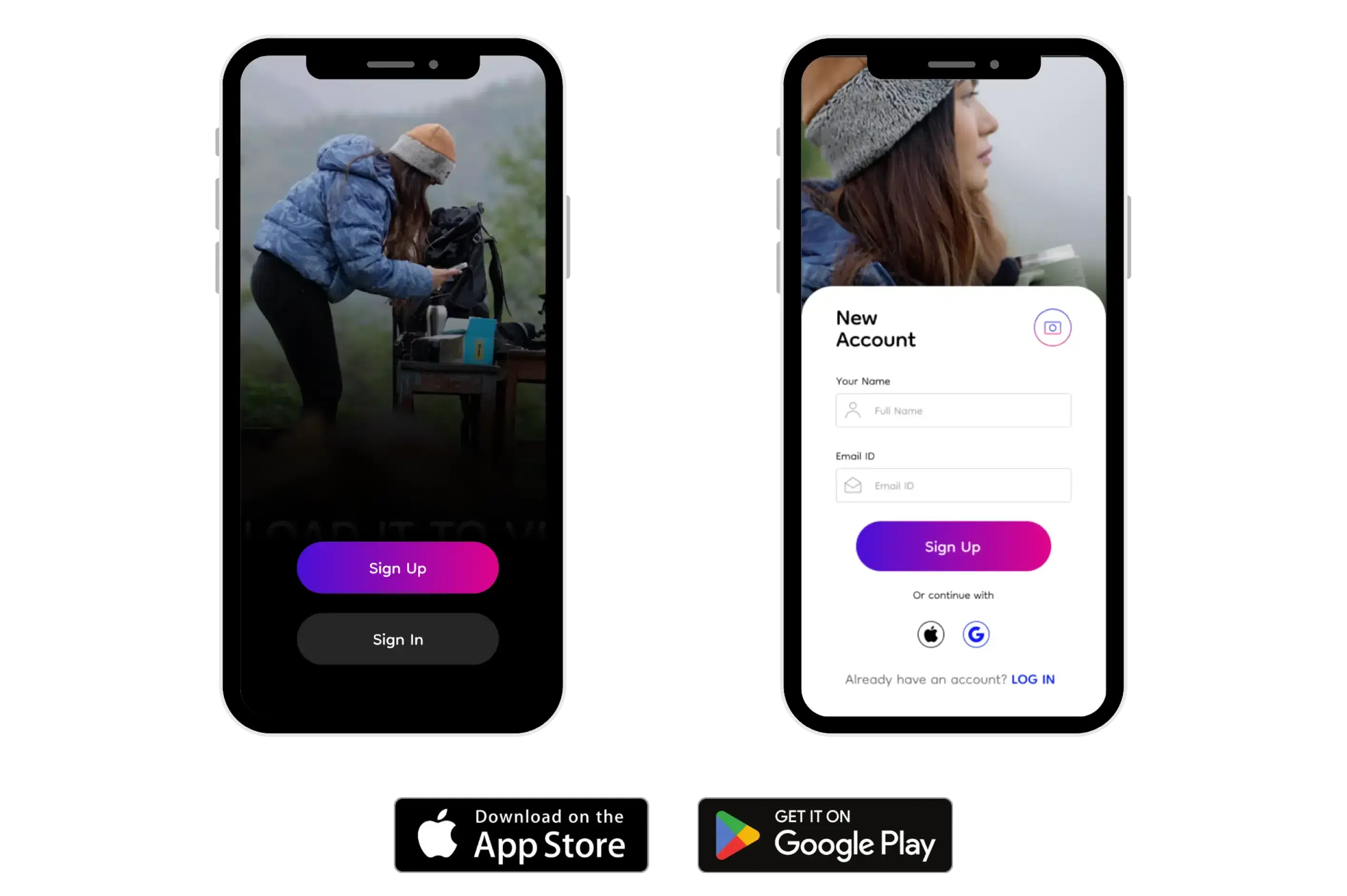
Start your journey by downloading the Veel App from the Play Store or App Store. As the app reveals itself, a welcome video sets the stage for the adventure ahead, and the "Sign Up - Login" page follows immediately. As a new user, Sign Up by providing your full name and email ID. Validate your identity through a secure OTP sent to your email, followed by setting up a password.
Congratulations, you're officially part of the Veel community!
Step 2: Explore the Veel Universe
Explore the Veel Universe
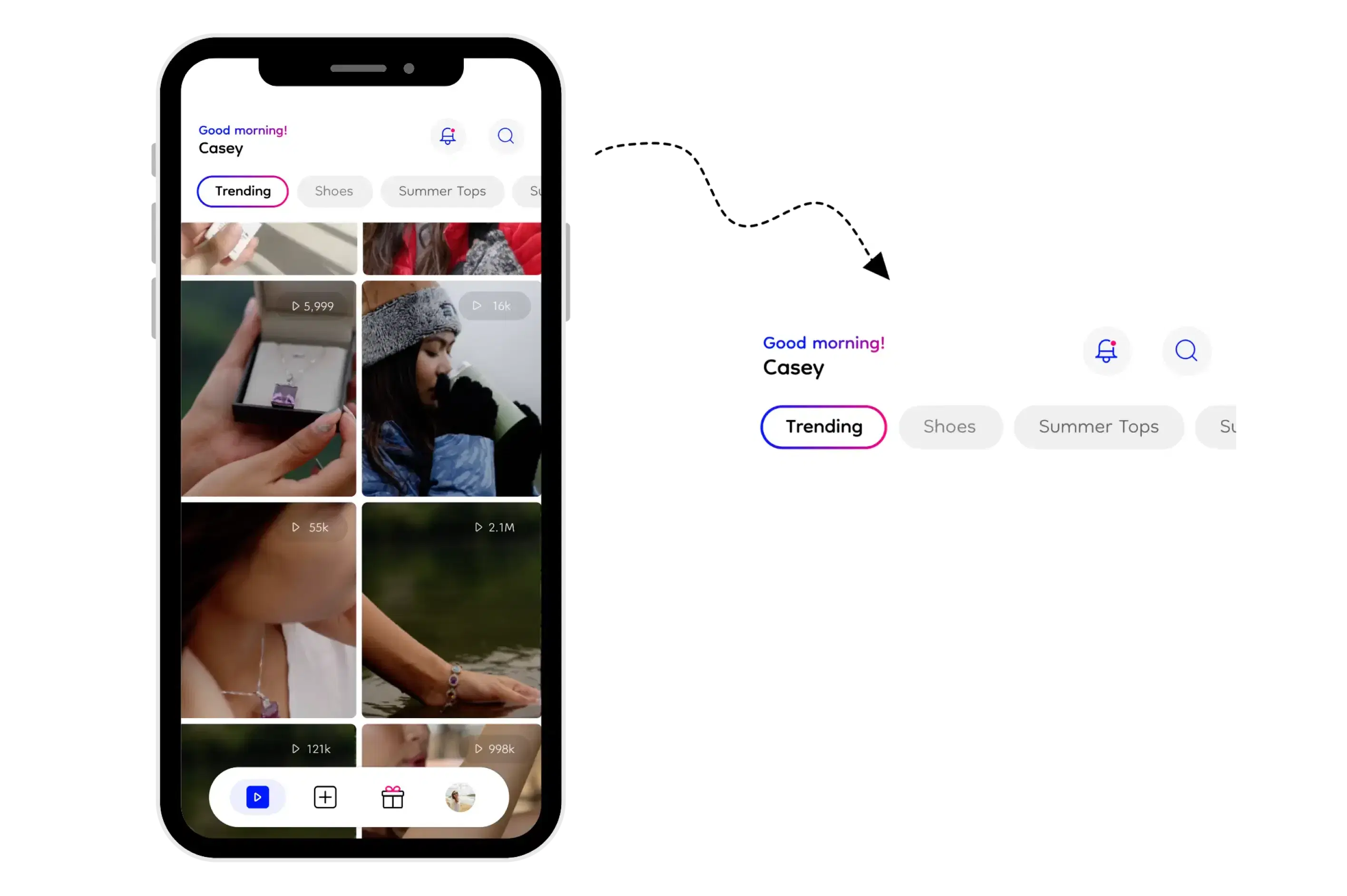
Navigate the app using the intuitive bottom tab bar. First stop, initiate your exploration by tapping into the "Explore" tab, where you’ll find a diverse range of curated videos shared by fellow content creators, both general and professional. Utilize the search bar at the top right corner for personalized exploration, discover creators, explore trending tags, and dive into different video categories.
Step 3: Interactive Engagement
Veel's Interactive Engagement
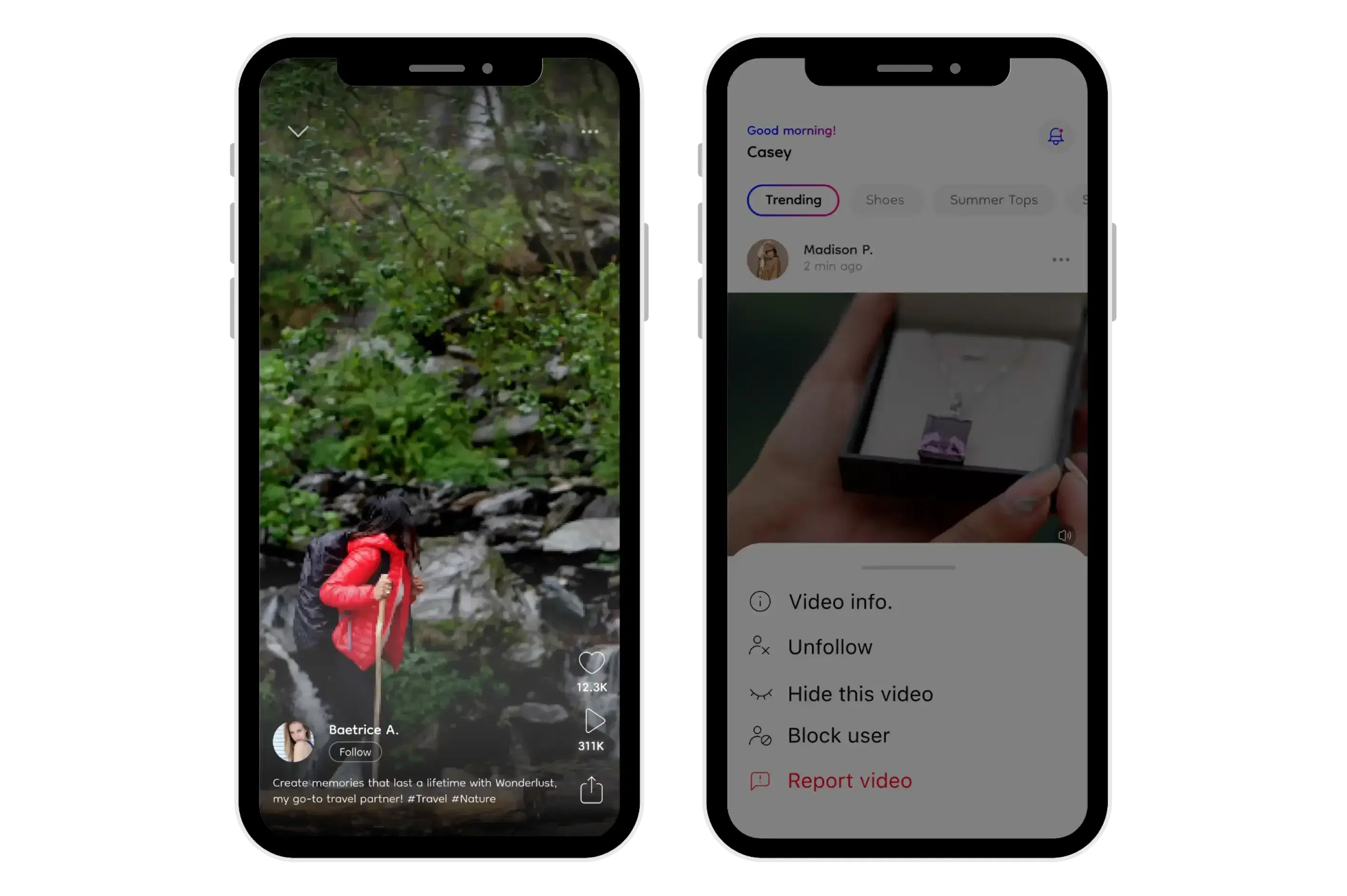
Engage with the Veel community by interacting with other UGC videos. As a UGC video creator, express your appreciation by liking videos, hide content that doesn't resonate with you, and foster connections by following or blocking non-anonymous users. Should you encounter content that raises concerns, leverage the reporting feature. Your experience in the "Explore" tab is shaped by your preferences and interactions.
Step 4: Unleash Your Creativity
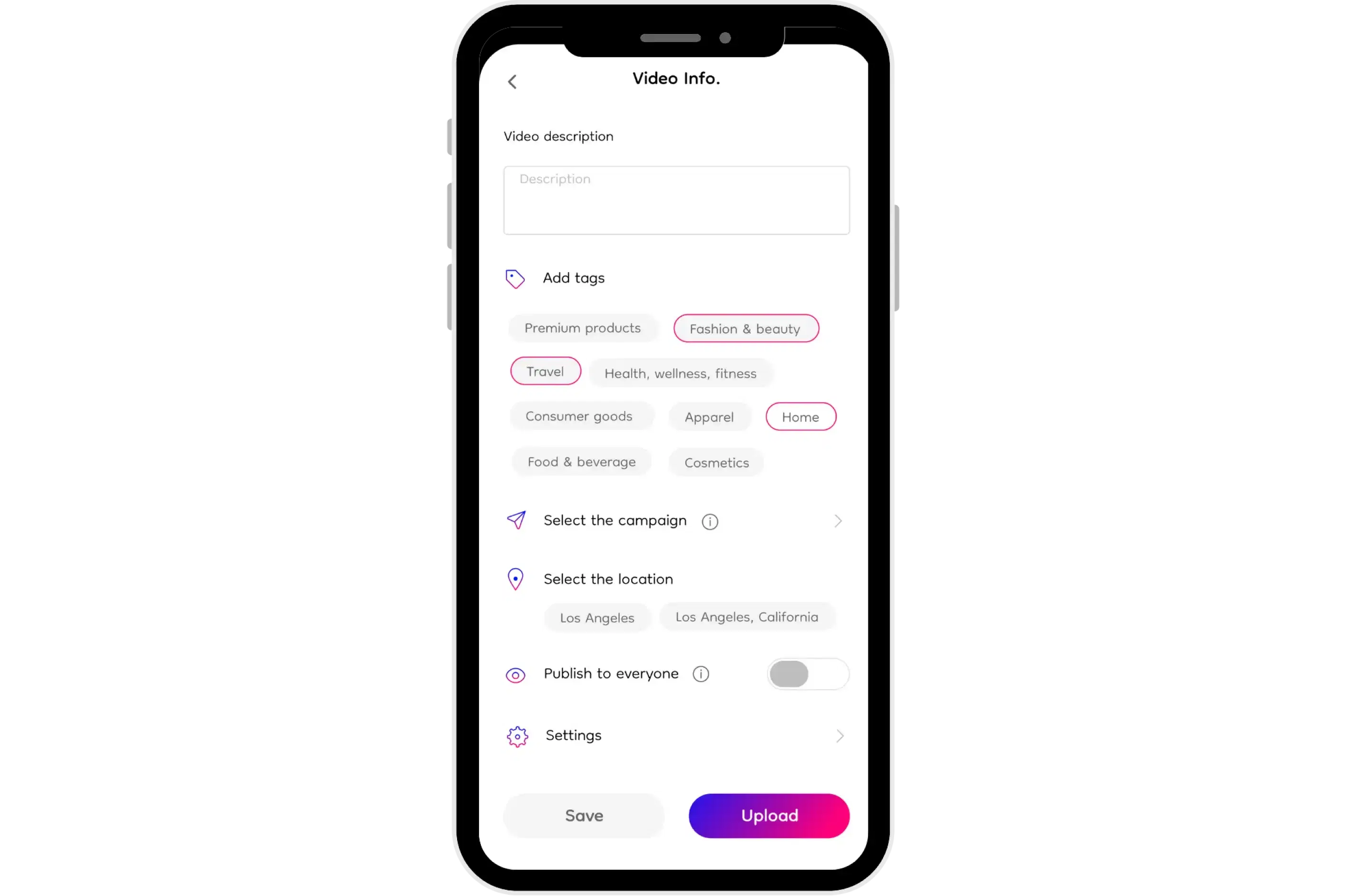
Unleash Your Creativity with Veel
Head to the "Upload Video" tab, your canvas for sharing your UGC creativity. As a UGC video creator, allow Veel App access to your media library, giving you the capability to share your UGC videos seamlessly. You can now share UGC videos that feature your favorite products or services on Veel App in the forms of reviews, demos, or any creative UGC video content related to these products.
Step 5: Monetize Your Skills
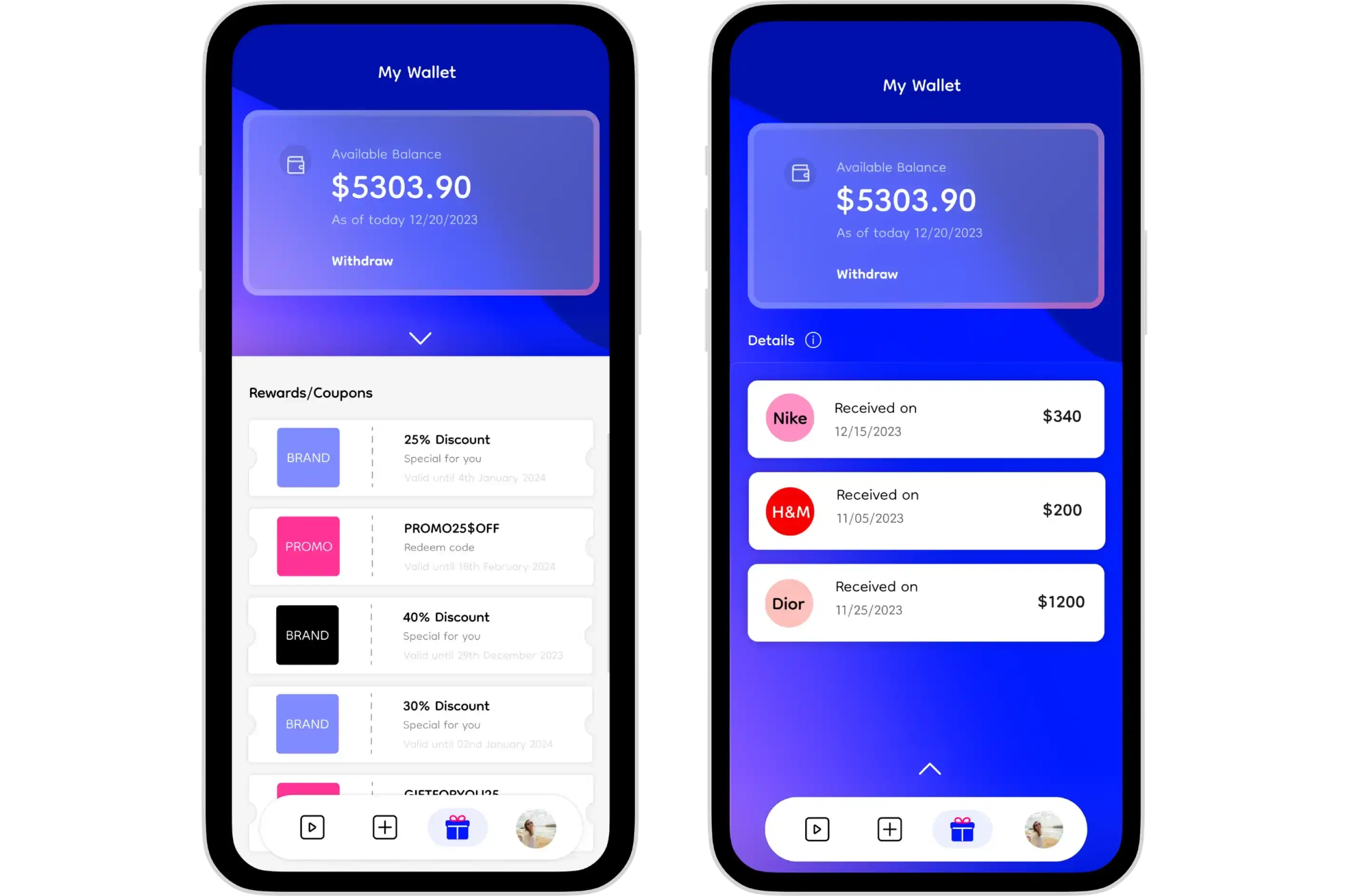
Monetize Your Skills with Veel
Explore the "My Wallet" tab, particularly relevant for professional content creators. As a UGC video creator, you can link your bank account, allowing you to track and manage the rewards, including cash, discount coupons, and vouchers received from collaborations with Brands and Enterprise Users after a successful UGC video collaboration.
For cash rewards, you have the flexibility to transfer the amount to the bank account of your choice, linked with the Veel App. Meanwhile, non-cash rewards can be redeemed within a specified timeframe, ensuring you make the most of your benefits.
Step 6: Craft Your Creative Oasis – Personalize Your Profile and Navigate Professional Opportunities
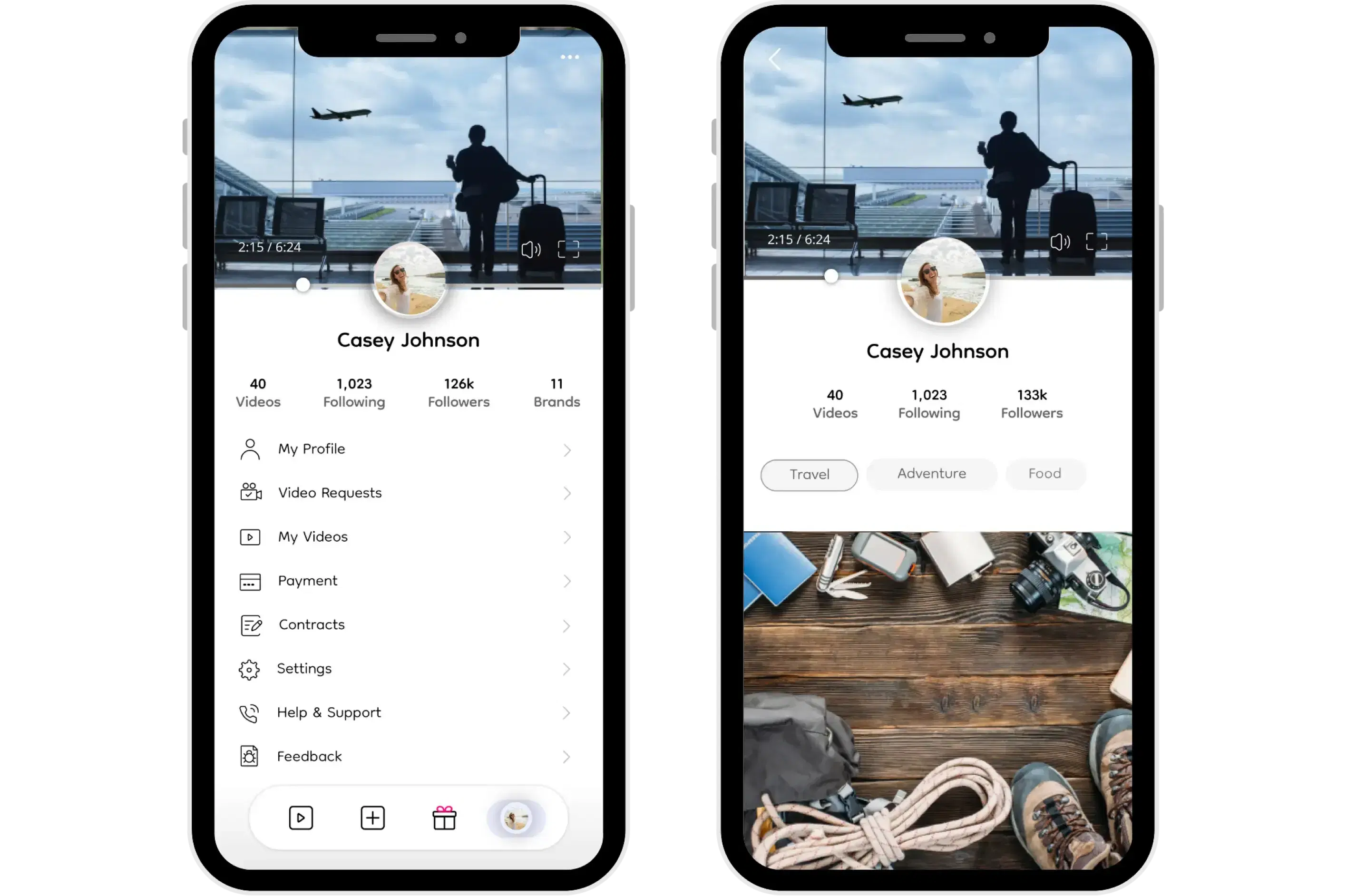
Personalize Your Veel Profile
Navigate to the "Profile" tab, where your creative haven awaits. Personalize your profile picture, and share a snippet about yourself in the bio section. This is your space to showcase your unique identity as a UGC video creator. Personalize it further with a captivating intro video and additional information. Note that the intro video is supposed to be 40 seconds long and is better if you’re highlighting your video content creation skills.
As a professional content creator, these intro videos are the captivating factors that attract brands and enterprise users towards for profile for UGC collaborations.
If you're registered as a Professional Content Creator, you’ll receive all the video requests made by brands in the “Video Request” section.
Your videos that you’ll post in general or/and against the campaigns made by brands will be under the “My Videos” section.
“Payment” will lead you back to the “My Wallet” tab.
“Messages” will show all the messages history. You can also search messages and contact names using the search bar.
Under “Settings” you can manage your account and can also get a closer look at the Content Creator Policy, Privacy, Security, and see the Terms of Service.
Should you seek assistance, the "Help and Support" tab compiles FAQs related to Payment Help, Videos Help, and Campaigns Help. If answers elude you there, our Help and Support team is just a call or email away.
Congratulations, you’re officially good to go with your General Content Creator experience.
Step 7: Elevate Your Profile (Optional)
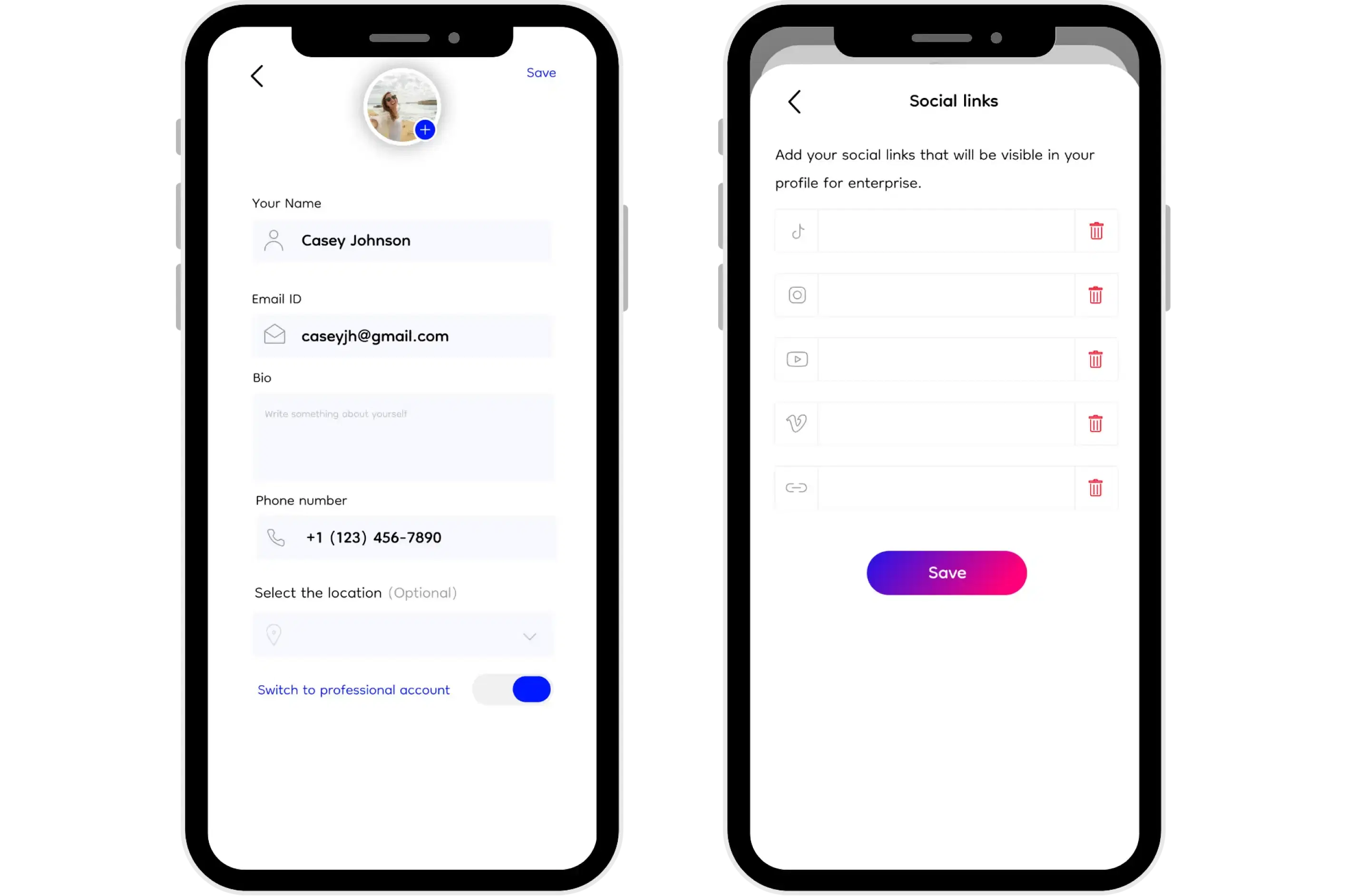
Navigate Professional Opportunities in Veel
Should you want to take your Veel journey further and connect with Brands and Enterprise Users for UGC video collaboration opportunities, you can transition to a Professional Veel Content Creator. Locate the "Become a Professional Creator" option under your profile, choose your video specialization, set a shipping address, and begin your professional journey.
It’s important to note that once you choose to go professional, you cannot revert back. Similarly, the video category you select and the shipping address you set cannot be updated for now. You will be notified when these conditions change.
Your phone number and shipping address will only be visible to Brands and Enterprise users with whom you collaborate. Including a shipping address is necessary for instances when brands need to send packages for creating UGC videos as part of campaigns. Your professional account will be active within a day, and until then, you are free to navigate the platform as a general user.
Congratulations! You’re now officially a Professional Content Creator on Veel.
Final Notes:
Your Veel profile is not just a profile; it's a gateway to endless collaboration possibilities. Customize, engage, and let your UGC creativity flourish. Your Veel journey has just begun, and every tap, interaction, and video is a brushstroke on your canvas.
Happy Veeling!