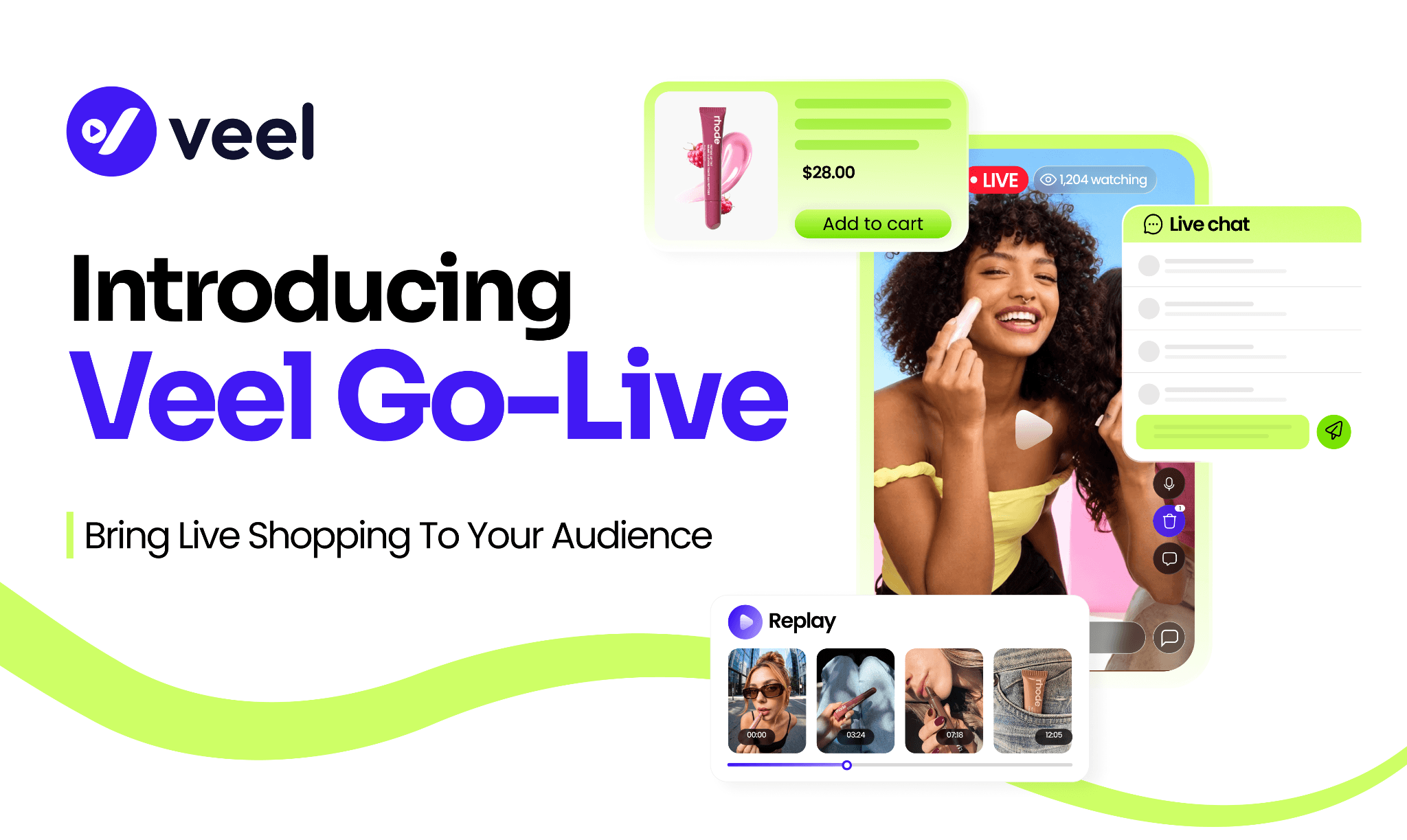
Introducing Veel Go Live: Live Commerce on Your Own Website
Introducing Veel Go Live: Live Commerce on Your Own Website
We’re launching Veel Go Live: live commerce built for your own website.
Host live video in a player that carries your branding. Let customers watch, chat, explore products, and buy without leaving your store, and when the show ends, the live stream becomes a shoppable replay that keeps working.
Here’s how Go Live works, who can host, and what you can run with it.
What is Veel Go Live?
Go Live brings live shopping directly to the pages where your customers already shop.
Broadcast from your Veel dashboard, and your show plays in a Veel player embedded on your website. Viewers can watch the stream, chat with the host, ask questions, and browse the products you feature, all without opening another tab.
You can also simulcast to Facebook and YouTube, giving your existing audience another way to find the show. But your website remains the home for the full shopping experience. Your host can be someone from your team, a creator you already work with, or a creator you discover through Veel, and when the broadcast ends, the recording becomes an on-demand replay, with the featured products still connected to the moments where they appeared.
Running Your First Show on Veel Go-Live
For example, take a Shopify home-goods store launching a new cast-iron cookware set. The team wants to show how it handles a weeknight dinner, answer questions, and give viewers a way to buy while they watch.
The setup first happens in Veel. You choose the date and time, upload a thumbnail, add your products, select where the show should appear, and apply your brand settings. For Shopify stores, products, prices, inventory, and variants come directly from your catalog. The skillet a viewer sees during the show is the same one they can buy from your store.
Once your account and storefront are connected, setup takes under five minutes.
For this show, the head of product is the host. She knows the cookware inside out and can answer questions about weight, materials, and heat range without checking with someone backstage.
Before the show starts, Go Live runs her through camera, microphone, and connection checks. Catching a muted mic before the broadcast is much easier than catching it with 200 people watching.
Then she goes live.
The show appears on the store's website and, if selected, on Facebook and YouTube. Customers on the site see the player alongside the live chat.
As she shows the product, product cards appear at the right moments. The team scheduled the skillet for minute five and the Dutch oven for minute twenty, but they can also trigger a product manually when the conversation gets there naturally. A viewer sees the skillet, opens its product card, chooses a size, adds it to their cart, and keeps watching. The video stays right where it is while they shop.
Meanwhile, a teammate manages the chat. Hosts, assigned moderators, and authorized business users can manage these controls, so the person on camera doesn't have to run the room too.
When the broadcast ends, the recording processes automatically and once it's ready, it becomes a permanent replay with the product cards still attached to the right moments.
A customer who discovers the replay three weeks later can jump to the moment the skillet appears, open it, and shop.
Choose the Right Host for Go Live
Your team
Launches, product demos, behind-the-scenes sessions, and customer Q&As benefit from having someone on camera who knows the product without needing to check for every answer. You manage the products, broadcast, and chat from the same place.
A creator you already work with
Invite an existing creator to a scheduled show and let them bring their personality, expertise, and reach. The show still runs on your website, in your branded player, with your products. Their audience gets a new reason to discover your store, while your existing customers stay on your site.
A creator you haven't met yet
Create a Go Live campaign in Veel. Describe the product, timing, niche, target audience, and compensation, and Veel matches you with relevant, verified creators. Creators can host from web or mobile, interact with viewers in real time, and get paid through the Veel workflow.
What Can You Run Go-Live For?
Product drops
Reveal something new, answer questions as they come in, and give viewers a direct path to purchase. People who join live get the first look. Everyone else gets the replay.
Product demos
Some products are difficult to understand from a product photo alone. Skincare routines, kitchen tools, gadgets, fitness equipment, and other hands-on products all benefit from seeing them in action.
Creator takeovers
Hand the show to a creator for an hour. Give them the products and context, let them run the conversation in their own style, and bring their audience directly to your storefront.
Expert sessions
Put a founder, stylist, nutritionist, engineer, or other expert on camera and answer the questions that never make it into a product description. The live format lets you handle objections in real time. The replay turns the conversation into content customers can keep coming back to.
Seasonal events
Gift guides, holiday shopping events, limited drops, launches, and seasonal tutorials all work naturally as live experiences. And when the event ends, the replay keeps working.
Community events
Not every show needs to sell. Product selection is optional, so you can use Go Live for announcements, community conversations, tutorials, or simple Q&As.
Put Go Live Where Your Customers Shop
Your live show doesn't need to live on a separate destination. On Shopify, add Go Live to your theme using an app block and connect your catalog. On other platforms, use the custom embed on a homepage, product page, collection, landing page, or campaign microsite.
The placement can match the purpose of the show. A single-product demo can live on that product's page. A holiday shopping event can take over the homepage. A creator-led campaign can have its own landing page. Set the show up once in Veel, then manage it from one place.
Reuse the Go-Live Content
A live show takes planning. You brief the host, prepare the products, promote the event, get people to show up at the same time. The replay lets that work keep paying off.
Replays can live in an on-site library where customers can see what's live now, what's coming next, and what has already aired. Share them, embed them, or let customers discover them directly on your site. Since the product cards stay attached to the video, a replay from three weeks ago can still be shoppable.
Know What Worked and What Didn’t
Go Live tracks viewer activity, watch time, chat engagement, product impressions and clicks, attributed orders, replay performance, and on-site discovery activity.
Look at the numbers together. Watch time and chat engagement show whether people stayed interested. Product clicks and orders show whether that attention translated into shopping activity. High engagement with low product activity may point to the product selection or when products were introduced. Low engagement and low sales may suggest the format or promotion needs another look.
Start with one simple show
Your first Go Live doesn't need to be complicated. Start with one product, one host, and 30 minutes. Tell your email list and social followers when you're going live. Decide which products should appear and when. Test the product cards before the show.
Ask your team for the ten questions customers ask most often and make sure the host has them ready. Put one person on chat and when the show ends, send the replay to everyone who missed it.
Then use what you learn to make the next one better.
Veel Go Live gives brands a way to bring the reach of live video together with the commerce of their own storefront. Host on your site. Bring in creators. Sell while you stream. Keep selling after.
.JPG.jpeg&w=3840&q=75)